
Silent Cubes
Version: 3.8
As of: July 2026
Authors: René Weber, Hannes Heckel
Manufacturer address
FAST LTA GmbH
Tölzer Strasse 1
D-81379 München
Germany
Phone: +49 (0) 89-89047-0
Fax: +49 (0) 89-89047-890
E-mail: info@fast-lta.de
WEEE reg. no. DE 78334839
FAST LTA Support
If the reference manual does not provide sufficient information, if you encounter difficulties during configuration, or if further problems arise, please contact FAST LTA Support.
FAST LTA Support:
Weekdays Mon-Fri, 9 a.m.-5 p.m.
Tel.: +49-89-890 47-772
E-mail: lta-support@fast-lta.de
24/7 customers should contact the contacts specified in the maintenance contract
FCC Contact for the United States of America
Stortrec USA LLC
3131 Camino del Rio n Suite #160
San Diego, CA 92108
United States
contact@stortrec.us
+1 858 633 1380
Design features of warning notices
This note contains important additional information
This warning notice warns of a dangerous situation in which failure to observe the warning may result in injury. Follow the warning notice to avoid injury.
This warning notice warns of a dangerous situation in which failure to observe the warning may result in property damage. Follow the warning notice to avoid property damage.
Basic safety instructions
CAUTION
Risk of injury from electrostatic discharge
Always use an antistatic wristband with a grounding connection or an antistatic mat with a grounding cable when working on the Silent Cube system.
Risk of crushing from falling loads
Always handle the device or its components with two people.
The device may only be opened by qualified personnel.
The device must be connected to a grounded power outlet.
Ensure easy access to the power outlets.
Risk of electric shock
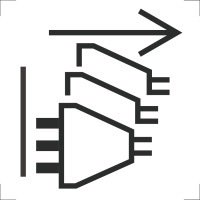
To disconnect the power supply, all power sources must be disconnected to avoid the risk of electric shock.
Operating conditions
The following conditions must be met to ensure trouble-free operation of the devices:
-
The installation site must be dry and free of dust.
-
The optimal air temperature at the installation site is between +15°C and +25°C.
-
The air temperature at the installation site should not exceed 38°C.
-
The humidity at the installation site should not exceed 65%.
-
The system must not be operated at altitudes above 2000 meters.
-
If the components are installed in a rack that can also accommodate other units, the temperature inside the rack may rise above the ambient temperature and thus potentially exceed the maximum permissible ambient temperature for the components. Ensure that none of the ventilation openings are covered after installation, so as to guarantee adequate air circulation.
-
The mechanical mounting elements inside the rack must be designed to support the weight of the components.
-
Do not overload the electrical connections on the power supply. Please observe the technical specifications in the manual.
-
Reliable grounding must always be ensured. Please note that integrating multiple components can lead to an accumulation of the respective leakage currents, which can result in an impermissibly high leakage current (for example, when a component is installed in a rack that can also accommodate additional units).
Under no circumstances attempt to repair the long-term storage system yourself, and do not remove the seals on the Head Unit and storage unit, as this will void the manufacturer's warranty. All maintenance work on these components is carried out by the FAST LTA Support team as part of your maintenance contract.
Your Silent Cubes long-term storage system
Welcome to the installation guide for your Silent Cubes and the Head Unit.
This installation guide supplements the printed Quick Install guide included with your Head Unit and walks you through the basic steps of a simple Silent Cubes installation. The manual consists of the following parts:
|
Preliminary considerations |
Retention date, volume types |
Part A: Preliminary considerations |
|
General Setup |
Cabling, network connection |
Part B:
|
|
Compliance Option |
Entering the license |
Part B:
|
|
Activating the system |
Temporary and permanent license |
Part B: Chapter 3 |
|
Configuring the system |
Cube Manager interface, system settings, volumes, and shares |
Part C:
|