
Relocate Head Unit
For technical reasons, it may be necessary to transfer the storage content of an existing Head Unit to a new one. A context menu that appears after right-clicking the Silent Cubes Storage Unit Management entry enables this functionality. This process is carried out by FAST LTA Support and is therefore not relevant to normal operation.
Relocating a storage unit
Depending on the operating time already completed and the amount of data already archived, it may be economically and technically sensible to consolidate several Silent Cube storage units into larger storage units in the future. FAST LTA recommends replacing storage units after approximately 5 years, and at the latest after 10 years.
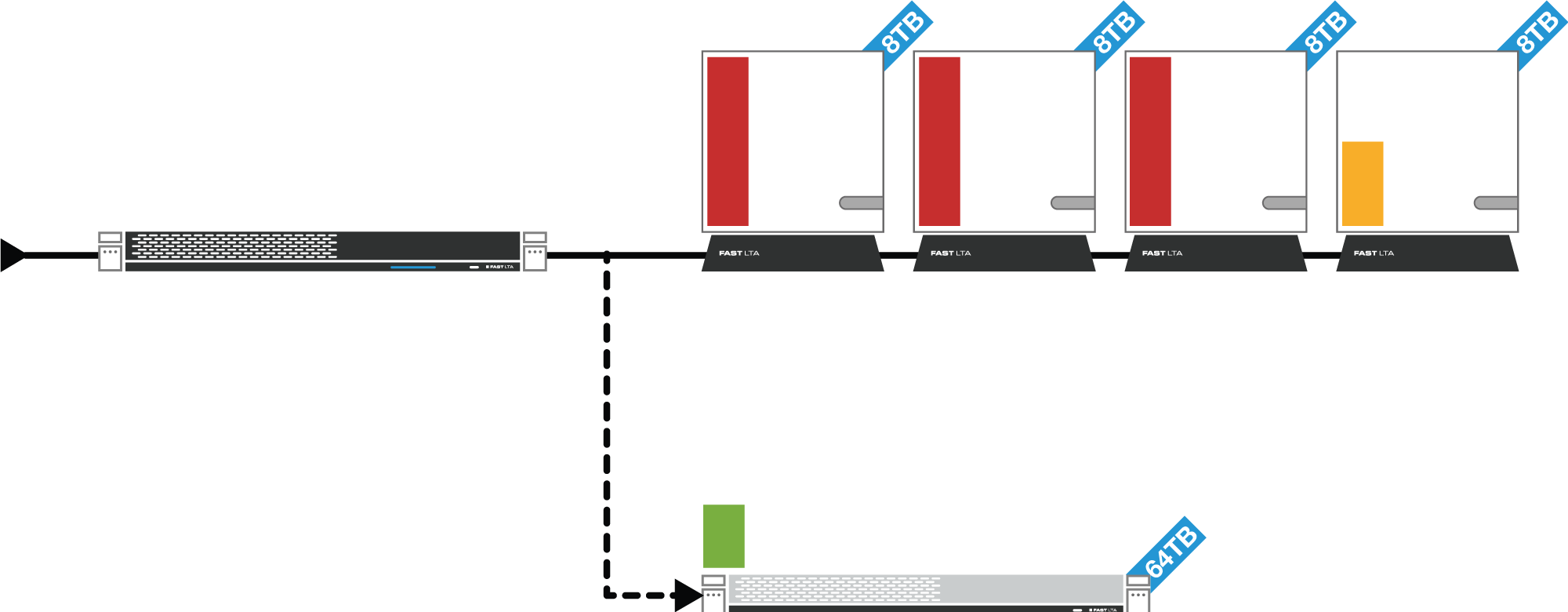
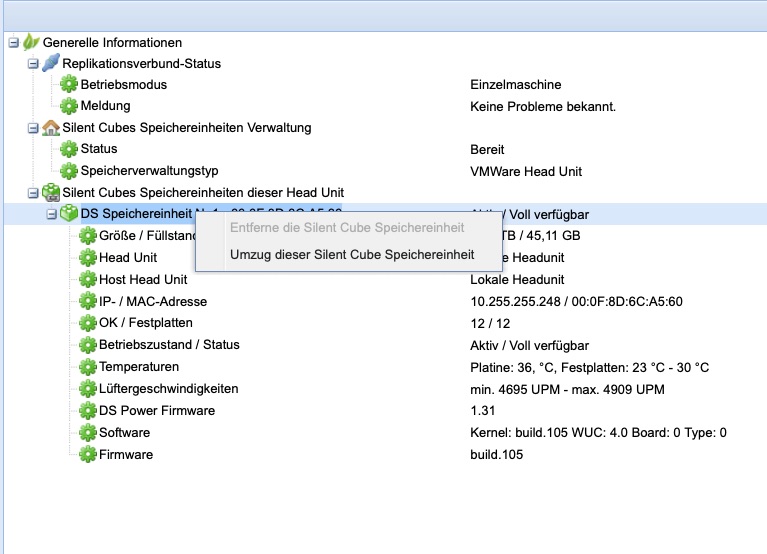
To do this, the new storage unit is first connected in parallel to the existing one. Right-clicking the entry Storage unit no. x opens the context menu with the entry for migrating a storage unit (see figure). The new storage unit must then be selected. A background process then ensures that all data from the previous storage unit is fully transferred to the new one. The bit-exact verification using a 512-bit SHA-2 hash guarantees data integrity.
The Silent Cube storage system no longer archives new data to a storage unit released for migration; instead, it archives it directly to the new storage unit. After a renewed and complete verification of the data, the old storage unit can be removed from the system via the Silent Cubes software (see chapter 7.1.3) and then switched off. Ongoing operation is not affected by this.
Files that have been "deleted" from the system continue to occupy storage space on the Silent Cubes - due to the WORM principle.
Using the Permanently remove deleted data option, these files are disregarded during the migration of a Silent Cube and are then missing on the new Silent Cube. After migration, the storage space occupied by files that were actually deleted therefore becomes additionally available.
After starting the migration request, a new view opens: Migration of data. Here you select which Silent Cubes are included in the migration with permanent deletion of the data.
After clicking Start calculation, the system determines the amount of data that will be freed up. The migration can then be started.
Removing a storage unit
Using the context menu option Remove the Silent Cube storage unit, it can be removed from the Silent Cube storage system. Storage units that have been migrated, accidentally connected, or on which no data has yet been archived can be removed again. Right-clicking the entry Storage unit no. x opens the context menu with the entry for removing a storage unit (see figure - Migrating / removing a Silent Cube storage unit).