
The System Status menu primarily allows you to view information about all components of the Silent Cube storage system (including the replication group). In addition, this menu also integrates the functions Relocate Head Unit, Migrate storage units, and Remove a storage unit.
General Information
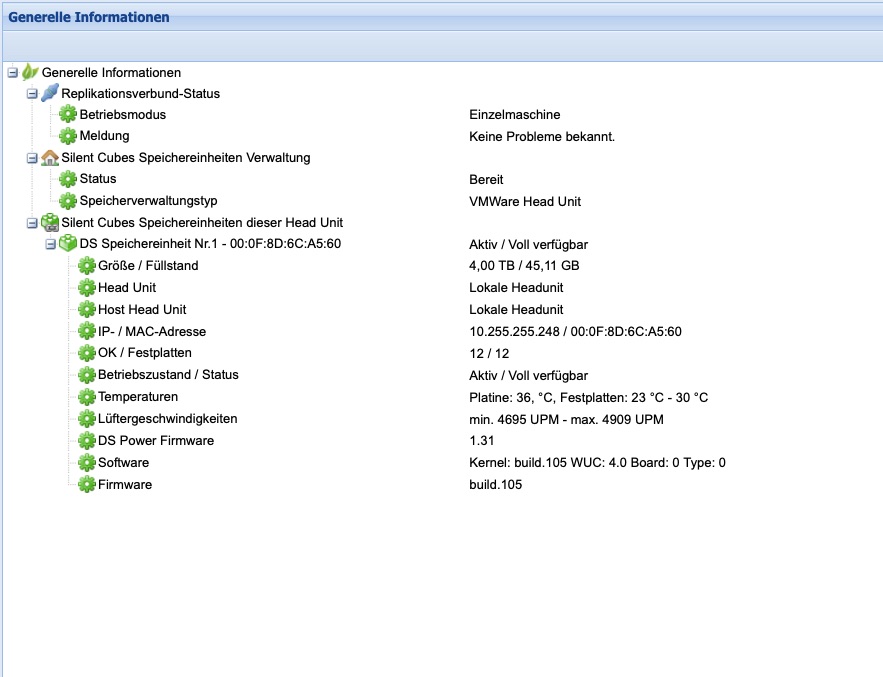
The General Information menu provides an overview of all components of the Silent Cube storage system (see figure). Depending on its status, each entry is marked with a green, yellow, or red icon and also displays a brief description.
Statistics
In the Statistics menu, the Silent Cubes software displays statistics on completed archiving operations over time. The charts show when which amount of data and how many files were archived. The statistics can optionally be restricted to a specific volume or displayed for all volumes that have been created. Each of the five charts represents a time span, each with its own individual sampling interval.
|
Chart number |
Time span |
Sampling interval |
|
1 |
2.4 hours |
1 minute |
|
2 |
24 hours |
10 minutes |
|
3 |
1 week |
1 hour |
|
4 |
1 month |
6 hours |
|
5 |
4 months |
1 day |
Table: Statistics charts with parameters
Sensors
The Sensors menu displays the current readings of all sensors within the Silent Cube storage system (see figure).
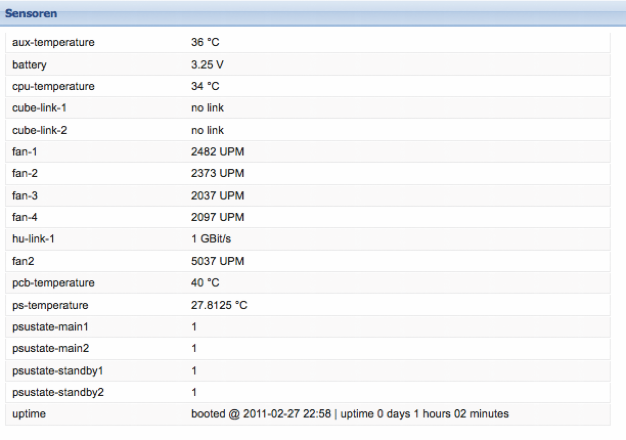
Figure: Sensors
System Statistics
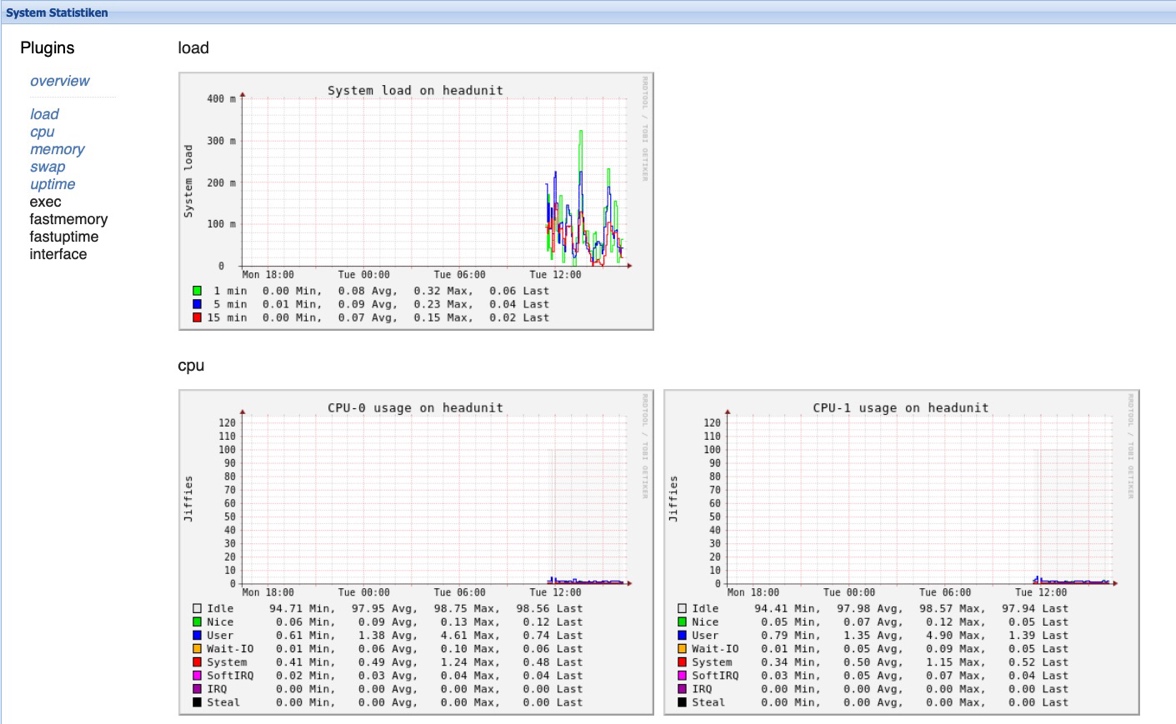
The System Statistics section is used to analyze system utilization. Among other things, you can view historical statistics on utilization, CPU usage, and network load here. This section thus supports analysis by the service department if needed.I