Activating the license
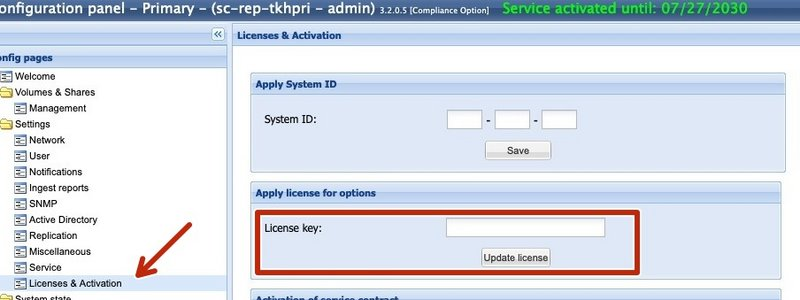
A chargeable license key is required to activate the service function on the Silent and Cube systems.
-
The key must be entered in the Licenses & Activation menu and activated with Update license
-
For a replicated system, it is sufficient to enter it on the Primary system.
-
-
After entering the key, a separate SAP configuration menu appears

-
No Active Directory connection is required for the HTTP interface of the SAP Content Server. However, if you want to store additional archives on the system, the system can be added to Active Directory.
Creating an SAP repository
-
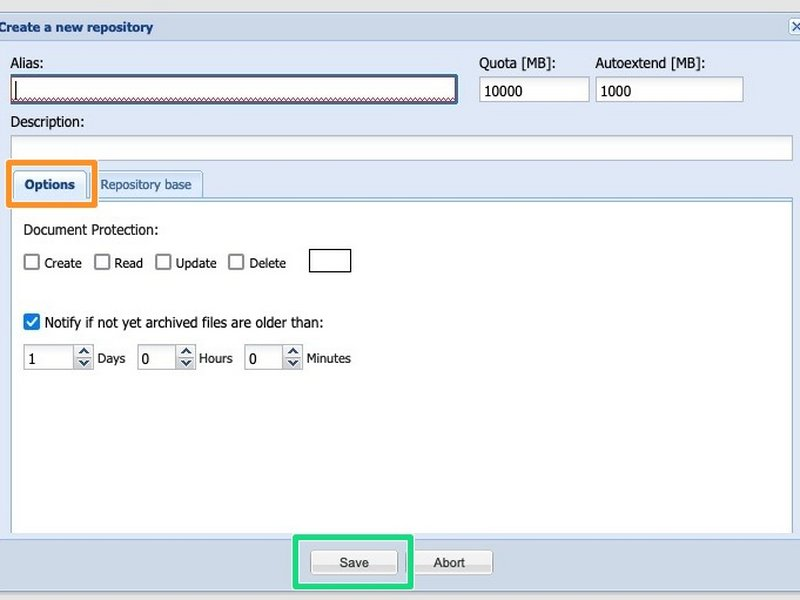
When you click "Add Repository", you are taken to the configuration page.

The following settings can be made in the Options tab
-
Alias - repository name
-
Description - repository description
-
Document Protection - here you can select the permission options for the archived data
-
"Notify if not yet archived files are older than": - Sends a warning message if files have not yet been archived after the configured time.
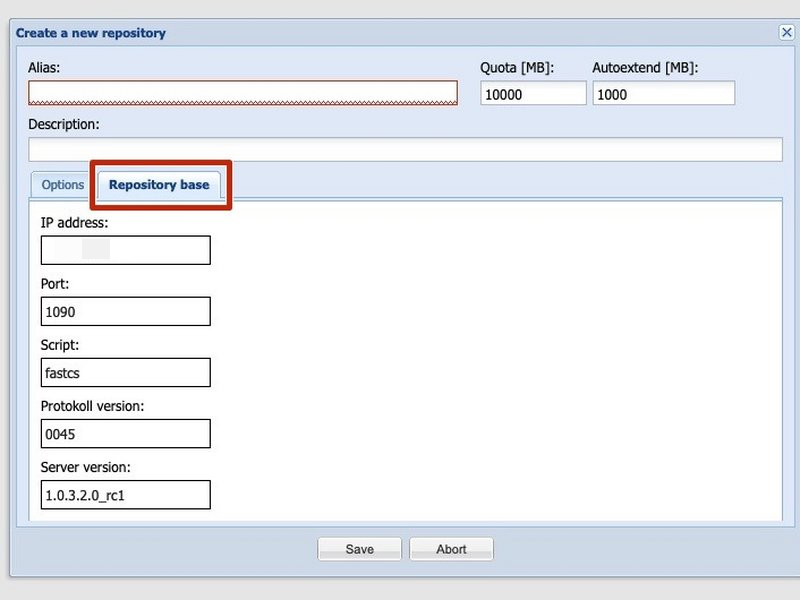
In the "Repository Base" tab, you can see the data required for setting up the SAP side:
-
Enter the values displayed in the "Repository Base" tab at the corresponding location in your SAP system
-
As soon as the SAP server has communicated with the Silent Cubes system, it provides a certificate for this repository. This certificate must be activated on the "SAP Repository Management" page of the Silent Cubes system.
Save the settings you have made by clicking Save.
Managing SAP repositories

-
The window overview shows the following settings
-
Alias - name of the created SAP repository
-
Quota - size of the archive
-
Used - storage space used
-
Free - currently available storage space
-
Usage - graphical display of the fill level
-
The window overview shows the following settings
-
Archived - number of archived files
-
Pending - number of files currently in the Head Unit cache that have not yet been archived
-
Protection - brief description of the document protection
-
c (create)
-
r (read)
-
u (update)
-
d (delete)
-
-
Certificate - status of the certificate
-
"None", "Activated", or "Not activated"
-
-
Internal ID – the internal volume ID in the Silent Cube system
-
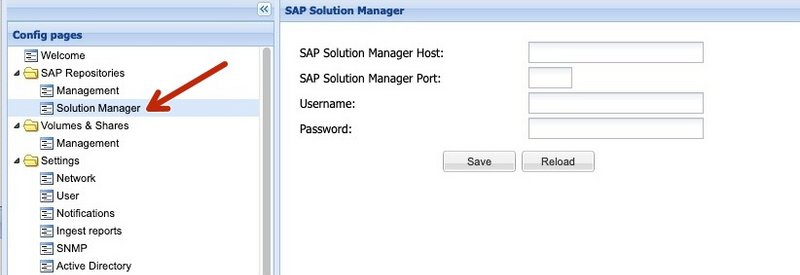
Connecting SAP Solution Manager
The Silent Cubes system can register itself in SAP Solution Manager via HTTP. Enter the corresponding values on the "Solution Manager" page.